
 Image 1 of 6
 Image 2 of 6
 Image 3 of 6
 Image 4 of 6
 Image 5 of 6
 Image 6 of 6
Pneumatic Dual Monitor Arm With Handlebar
Overview
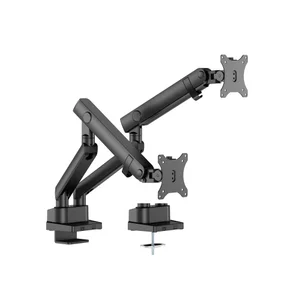
The HYDRA2HANDLEBAR (v2) is a pneumatic dual monitor arm with an integrated handlebar for one-handed screen repositioning. Its gas mechanism cylinder provides effortless, smooth height and angle adjustment with virtually no resistance — raise, lower, or reposition both displays with a single motion and they hold exactly where you leave them. The clamp mounts entirely from above the desk, making installation straightforward for corner desks, wall-adjacent setups, and single-person installs. A quick-release VESA plate on each arm lets you detach and reattach monitors without tools. Compatible with flat and curved monitors from 17″ to 32″, supporting up to 9 kg per screen.
Key Features
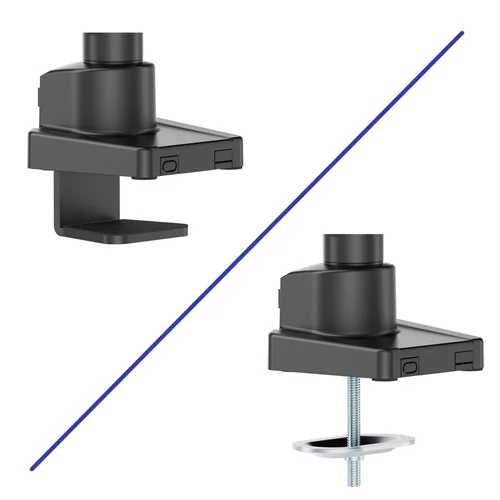
- Clamp — On Side of Desk
- Grommet — Through a Hole in Desk Top
Feature Detail
Gas Mechanism Arm
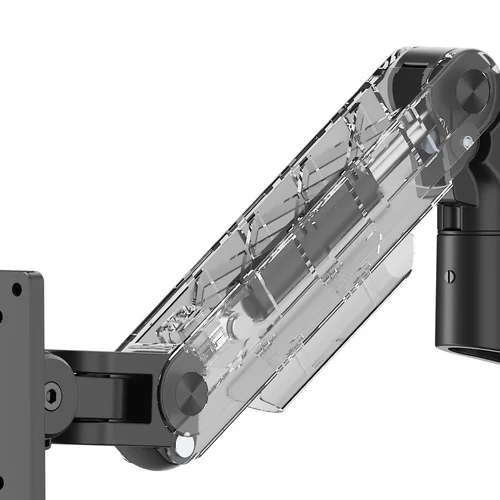
A gas mechanism arm uses a sealed nitrogen gas cylinder as a precision counterbalance — the same core technology found in medical examination tables, aerospace hatches, and premium automotive hoods. The result is one-finger repositioning with virtually no resistance: raise, lower, tilt, or swing your monitor and it holds exactly where you leave it. Once set up for your display, the cylinder requires zero maintenance — no re-tensioning, no adjustments, no change in feel over time. It’s the right choice for users who reposition frequently, share a workstation, or simply want a premium adjustment experience that’s completely effortless.
Ergonomic Handlebar
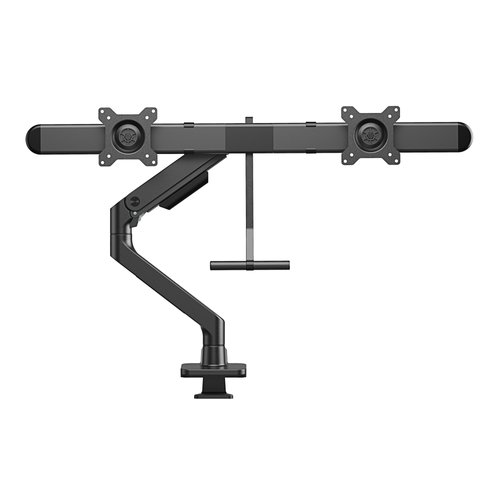
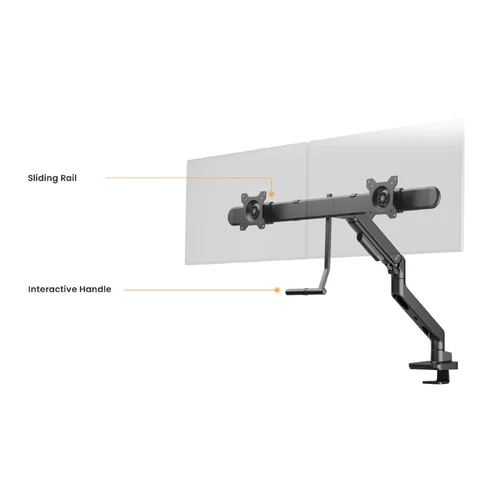
The integrated handlebar spans the width of the dual arm assembly, giving you a dedicated grip point to reposition both screens simultaneously with a single hand. Rather than adjusting each monitor independently or reaching awkwardly to push on a screen bezel, you grip the handlebar and move the entire display setup in one fluid motion. The handlebar is positioned so the adjustment feels natural from a seated or standing position, and the gas mechanism means you’re not fighting spring resistance while you do it. For setups where frequent height or angle changes are part of the workday — shared workstations, sit-stand desks, or collaborative environments — this translates directly into less friction and more time focused on work.
Top-Mount Install
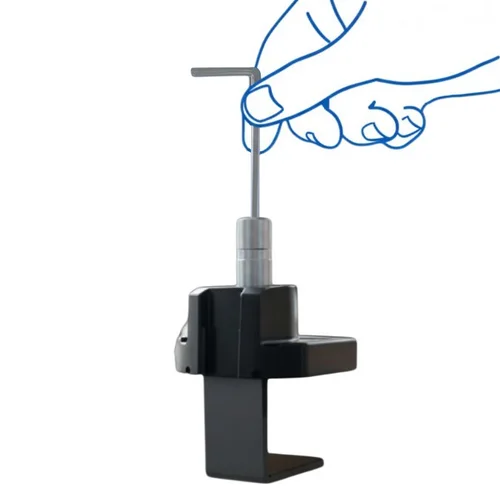
The clamp is designed to mount entirely from above the desk — no crouching, no moving equipment, no reaching blindly under your workspace to tighten bolts. The clamp is engineered so that every connection point, including final tensioning, is accessible from the top. That makes it a practical choice for corner desks, wall-adjacent setups, and anyone with limited mobility who needs full access to the mount without getting under the desk. It also means the entire installation can be completed by one person, without a second set of hands to manage anything underneath.
Sliding Monitor Rail
The horizontal sliding rail lets you position each monitor independently along the full width of the arm assembly — slide them closer together for a tighter dual-screen setup, spread them apart for wide-angle viewing, or offset them asymmetrically to match your primary and secondary screen usage patterns. Adjustments are made without tools and hold position once set. This is particularly useful when transitioning between task types: a coding session might call for monitors side-by-side at equal distance, while a reference-and-editing workflow benefits from one screen shifted to a more central position. The rail accommodates both without any disassembly or reconfiguration of the mount itself.
Two Mounting Options
This mount ships with both a desk clamp and a grommet base included — no choosing at checkout, no separate accessory purchases. The desk clamp accommodates surfaces from 12 to 45 mm thick and installs without any modification to your desk, making it the straightforward choice for most setups. The grommet base passes through an existing desk hole, eliminating the clamp profile entirely for a flush, low-profile installation that keeps the focus on the monitor rather than the mount. Having both options in the box means the right fit for your desk is already accounted for, regardless of your workspace configuration.
Specifications
| Parameter | Value |
|---|---|
| Monitor Size Range | 17″ – 32″ |
| Supported Weight — Flat Screen | 1 kg – 9 kg (2.2 – 19.8 lbs) |
| Supported Weight — Curved Screen | 1 kg – 9 kg (2.2 – 19.8 lbs) |
| VESA Compatibility | 100×100 / 75×75 mm |
| Material | Aluminum, Plastic, Steel |
| Colour | Black |
| Swivel | +10° (Right) and −0° (Left) |
| Tilt | +10° (Up) and −10° (Down) |
| Rotation | 360° |
| Arm Full Extension — Forward | 554 mm (21.8″) |
| Arm Full Extension — Height | 474 mm (18.7″) |
| Assembled Weight | — |
| Estimated Time to Assemble — Not Experienced | — |
| Estimated Time to Assemble — Experienced | — |
| Clamp Installation | |
| Compatible Surface Thickness | 12 – 45 mm (0.47″ – 1.8″) |
| Clamp Width | — |
| Grommet Installation | |
| Compatible Surface Thickness | 12 – 50 mm (0.47″ – 2″) |
| Compatible Hole Dimensions | — |
| Box Weight | 7.53 kg (16.61 lbs) |
| Box Dimensions | 882 × 636 × 552 mm (34.7″ × 25″ × 21.7″) |
| UNSPSC | 43212002 |



Included in the Box
Warranty and Parts
Downloads